

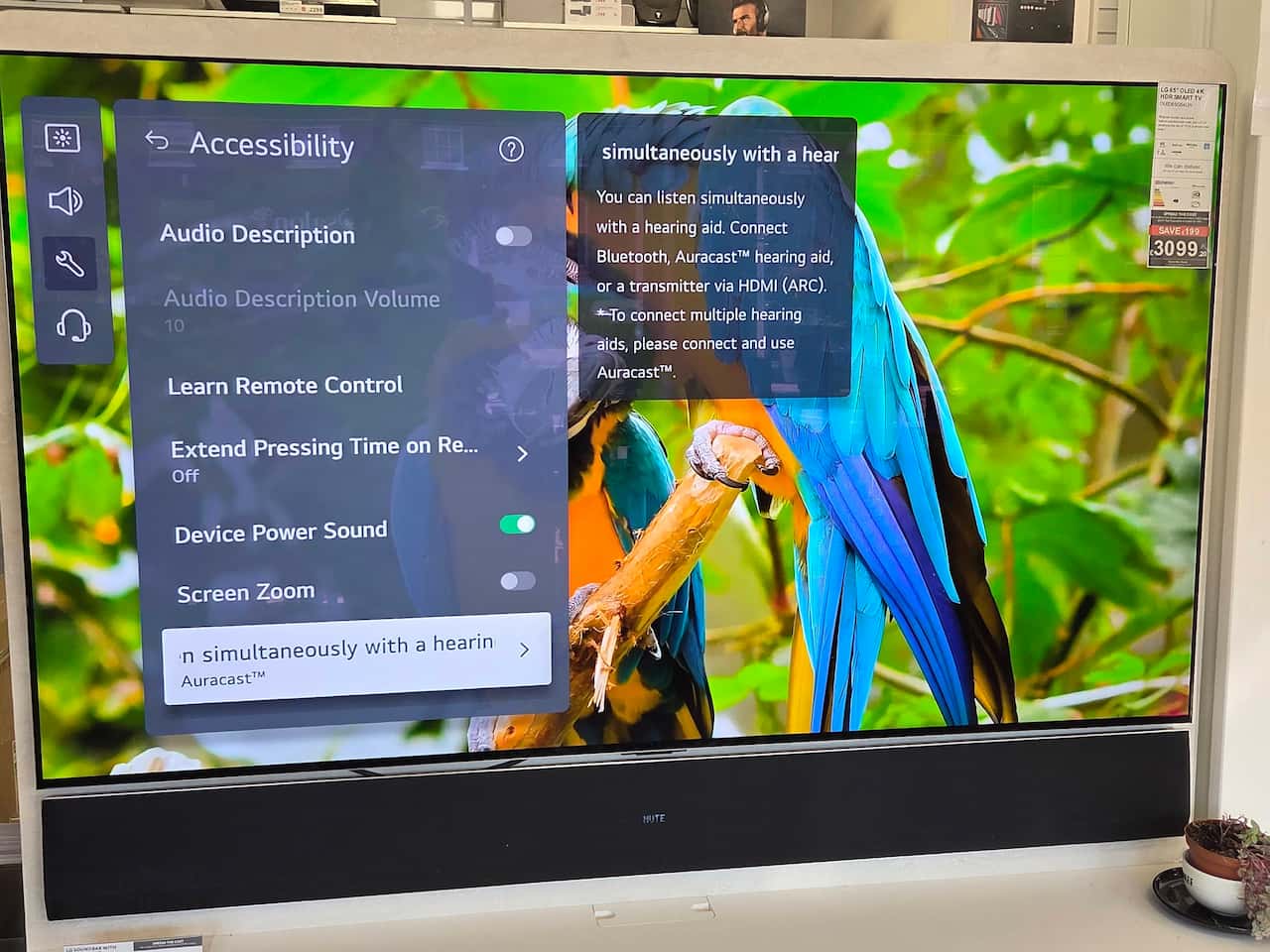
You know the joke about the wooden car with wooden wheels … it wouldn’t go. The same can be said about Auracast in the LG C5 series when you connect a Bluetooth soundbar. The LG C5 series was one of the first to include Auracast as part of the television.
While it is not a budget set, its 42in screen can currently be bought in the UK for around £650. This is half its recommended retail price of £1,399, which it was when it was released in the spring of 2025.
It has now been superseded by the C6, which currently has a price tag of £1,299 for the same size model, although there are some discounts.

Other sizes in the range are 48in, 55in, 65in, 77in, and a monster 83in, meaning there should be a TV to suit every household.
We first looked at the 42in in Richer Sounds last year, and have been lovingly stroking the set on several visits to electrical stores ever since. At the same time, we have been using it as an opportunity to explain to sales staff about Auracast and how to access it from the C5’s menus.
Our previous set, a Panasonic, was an unlucky 13 years old, and the screen was on its way out. When you get horizontal lines, it’s game over. The World Cup was the final justification for making the switch, as the BBC is broadcasting games in Ultra High Definition. This means the picture quality of a modern set knocks our older screen into a cocked hat.
Why did we choose the LG C5? The bottom line is we know it had Auracast built in, whereas there is currently a lot of ambiguity from manufacturers about which sets have Auracast and which don’t. Given that some stores only list ‘Bluetooth’ rather than the codec, some sets use Bluetooth 4.0, and store staff don’t seem to have had much training from head office on Auracast, purchasing a television is very much ‘buyer beware’.
We bought the C5 42in from Richer Sounds. They are our preferred store for such purchases because of their excellent customer service, and their sets come with a six-year guarantee. They also offer to go better than a price match – the company will beat the matched price by at least £10.
The LG C5 is an easy setup
The LG C5 is easy to set up, it has three USB ports, four HMDI ports, plus a TOSLINK digital out, ethernet, RG Coaxial aerial and satellite inputs, plus USB ports.
For us, that translates to a Virgin set-top box, a DVD player, and a Wii, with space to connect an HDMI soundbar.
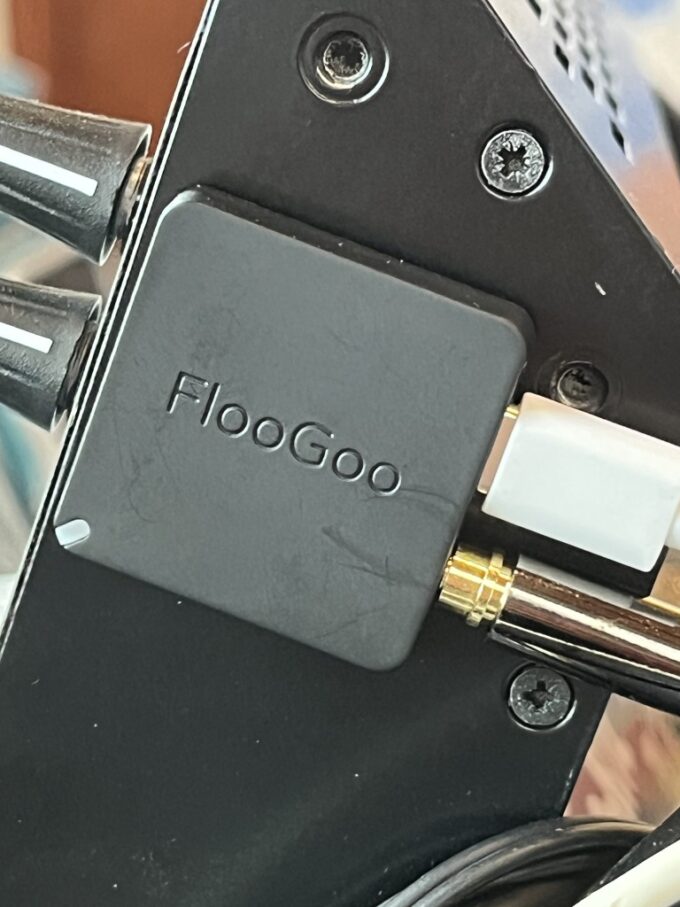
We initially hooked up our GN ReSound TVStreamer+ to the digital audio out (TOSLINK).
We’ve tested many Auracast TV streamers over the past year, but this remains our favourite. It’s small, compact and easy to use. Once it’s set up, it’s in place and you don’t need to worry about it.
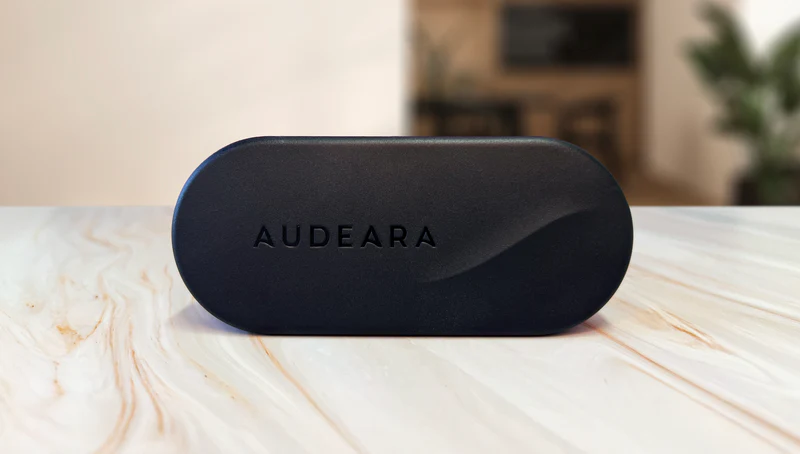
We also tested the Audeara TV Streamer, which has digital audio in and out, allowing you to daisy chain other audio devices. In this case, it’s a soundbar purchased at the time of the Panasonic purchase all those years ago. This worked a charm, but tech has moved on and LG has a built-in WOW Orchestra processing, which splits the sound output between TV and soundbar, for a richer, more enveloping sound. It was for this reason we decided to go for their soundbar.
The LG C5 has a stunning picture, but the sound?
One of the LG C5’s attractions is its picture quality. As the saying goes, hang it in the Louvre. Strong, sharp, and clear, it excels when sport is being screened in Ultra High Definition. If it’s not to your liking, the picture can be adjusted to make it brighter or darker on request, and it’s fairly easy to do.
But the sound?
The payoff of flat-screen televisions is their thin form and built-in speakers. Long gone are the days when TVs were deep enough to house enough transistors, tubes, and bells and whistles to support a decent internal speaker system. Now we get speakers that struggle, and the recommendation is a soundbar or sound system.
The LG C5 blurb promises AI-enhanced Sound Pro and Voice Remastering settings, for a more lifelike sound and clearer dialogue. Unfortunately, the hearing members of the Aurahear household were not impressed with the LG C5’s native sound, even after running through the diagnostics to try and find that acceptable something.
That meant adding a soundbar.
How to access the built-in Auracast in the LG C5
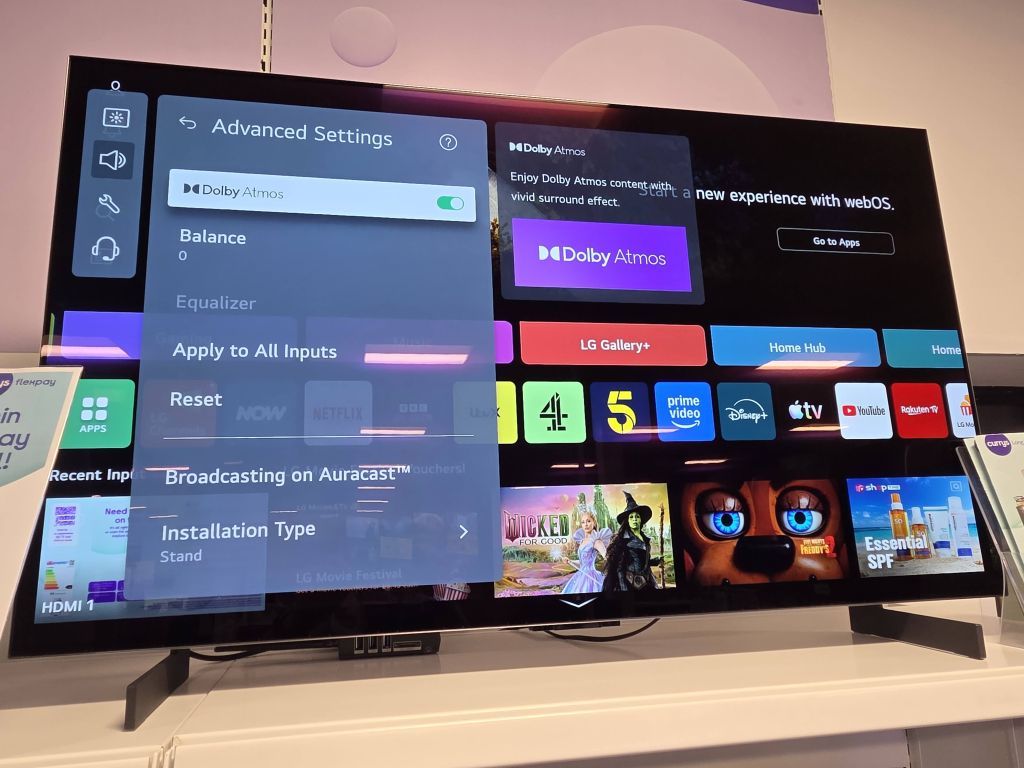
Auracast is available in TVs that use webOS Hub 3.0 and have at least Bluetooth 5.2 codecs installed. We wrote about this last year, and the system is used by other manufacturers, including Cello.
The quickest and easiest way is simply to press the microphone button on the remote control and say ‘Turn Auracast on’. As long as it recognises your voice – we had some false starts – it will open the Auracast stream.
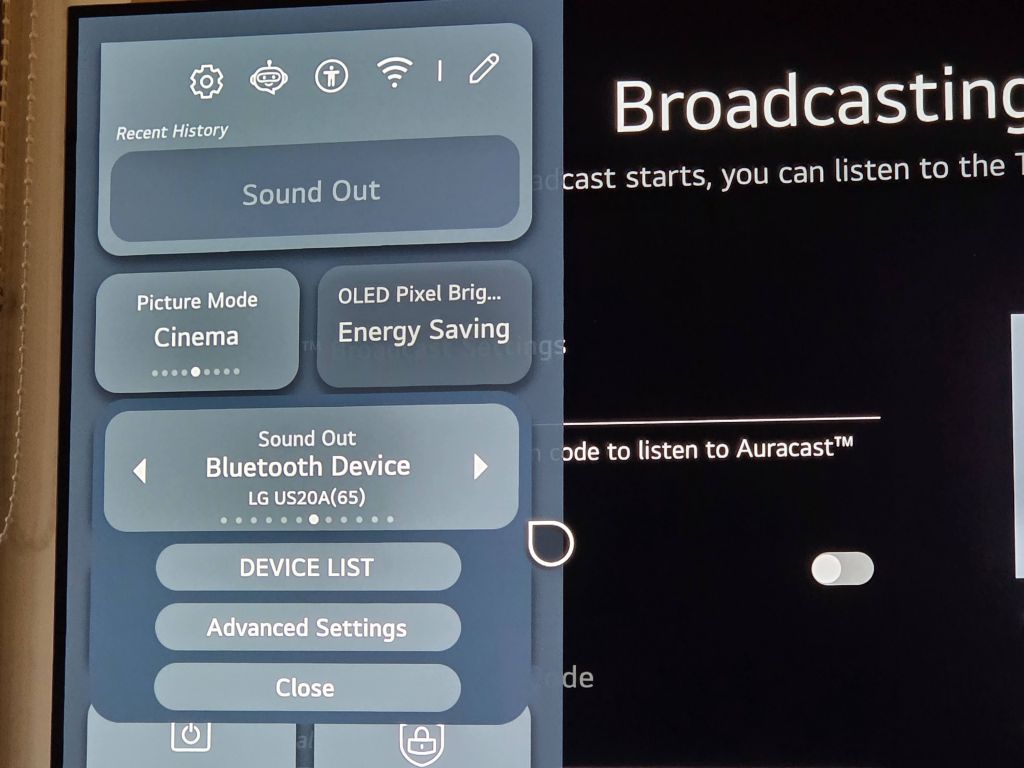
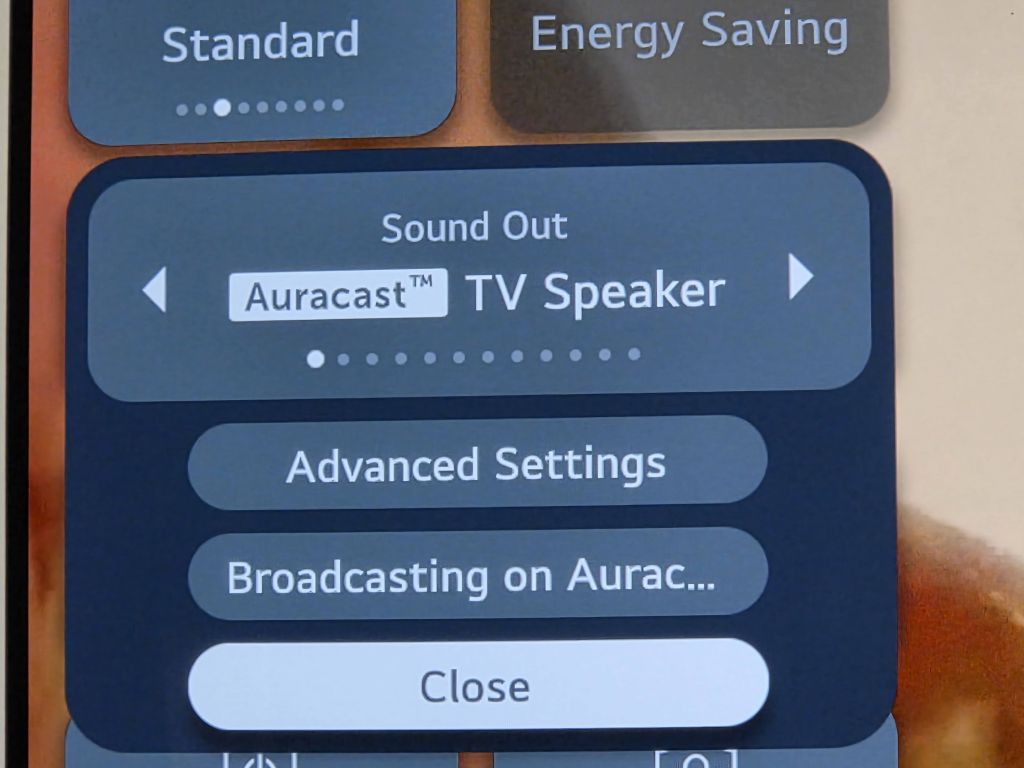
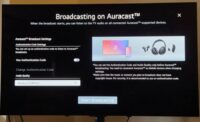
Alternatively, it is possible to access the Auracast screen by clicking on the SOUND OUT panel of the home page. The options available include BROADCASTING ON AURACAST, making it impossible to miss.
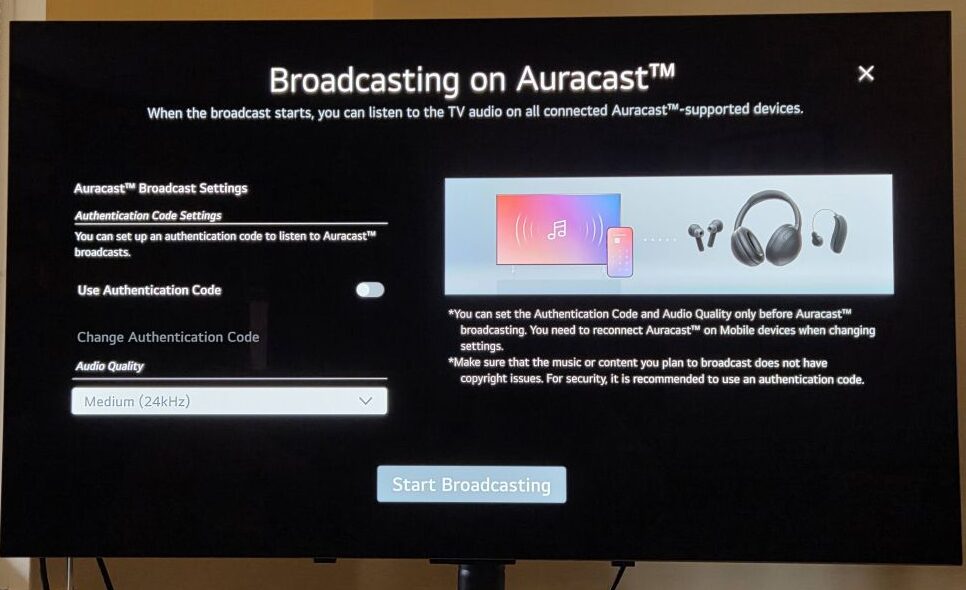
The Broadcasting on Auracast page is also really straightforward to follow, though it would have been helpful to include a QR code to connect devices, especially if Auracast is encrypted. Something for a firmware upgrade.
The first option is whether to turn on the authentication code, essentially password-protecting the Auracast with a four-digit PIN. This is useful if you don’t want your neighbours to hear what you are watching.
There are options to stream at 16kHz, 24kHz or 48kHz – most hearing aids will use the 24kHz frequency, although Oticon can do both 24kHz and 48kHz. Once that has been selected, it’s a case of pressing ‘START BROADCASTING’ and the Auracast is on.
It’s very simple to set up and use; it shows up in the Auracast Assistants as the model name, in our case “LG webOS TV OLED42C54LA”.
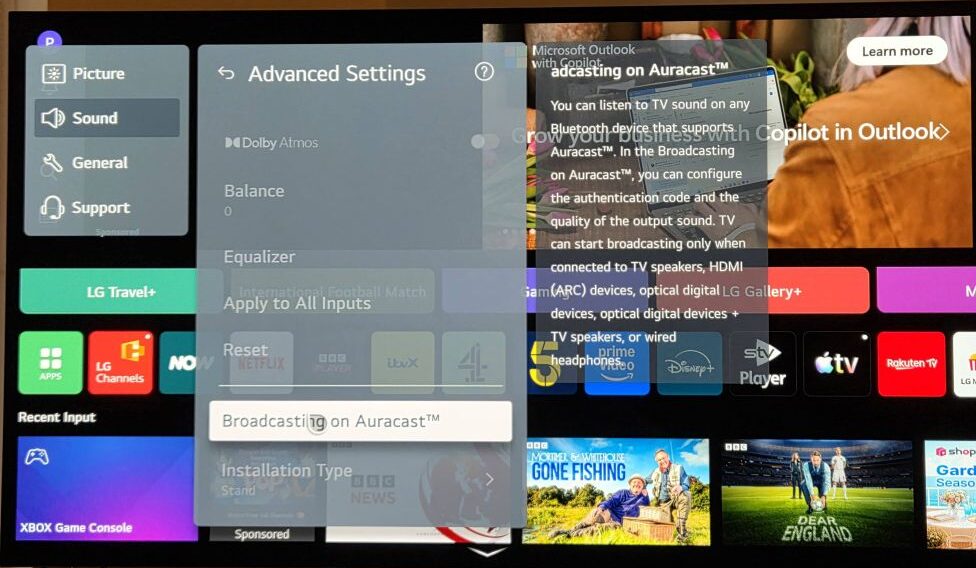
The Auracast remains on until it’s switched off or … you install a Bluetooth soundbar.
If an external streamer is plugged into the Digital Audio Out/TOSLINK port, then you connect to it as usual via an Auracast Assistant. This is independent of the TV’s settings.
The sound quality is very good, and there is no problem with latency.
We have had a few glitches where the signal wouldn’t behave itself, but we couldn’t ascertain whether the issue was with the hearing aids or the television. For example, we had an issue with the connected DVD player failing to output audio. We had to change some general sound settings to get any audio to play, but once that was done, there were no further problems. On other occasions, the answer was to turn the TV on and off again.
And the soundbar causes a problem for Auracasters
Let’s get on to the wooden car: with the main television sound being weedy, a soundbar is essential.
LG makes a WOWCAST experience that links the television to the soundbar. To take advantage of this, we bought the LG US20A soundbar, which currently costs £69 from Richer Sounds but twice the price elsewhere, to connect to the television. It can be hooked up via Bluetooth and HDMI.
However, when we connected it to the television, it turned off the Auracast. We can’t believe this, and this seems like a design flaw rather than a feature.
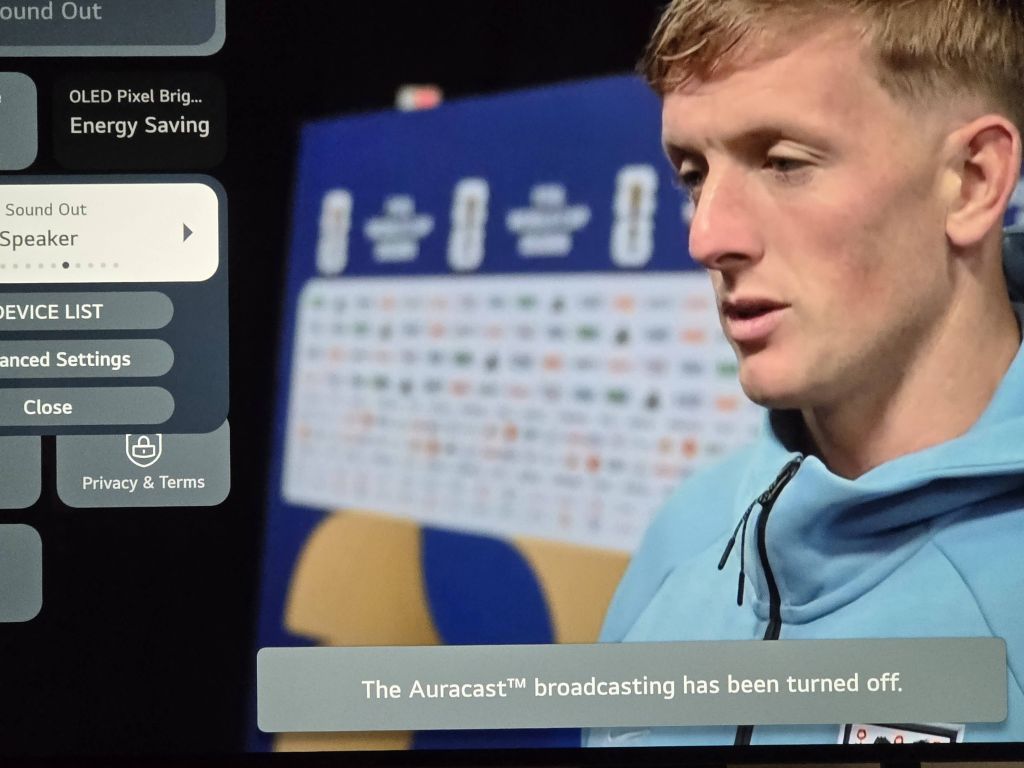
The reason for this wooden car is that the soundbar overrides all other sound settings, so not only was the internal Auracast knocked out, but the TOSLINK-connected TV streamer would also not connect.
Classic Bluetooth overtakes Auracast: it is a backwards step. We cannot say this strongly enough: it sucks. It forces us to choose between the soundbar and Auracast, or, to put it another way, it is the difference between accessible listening and not.
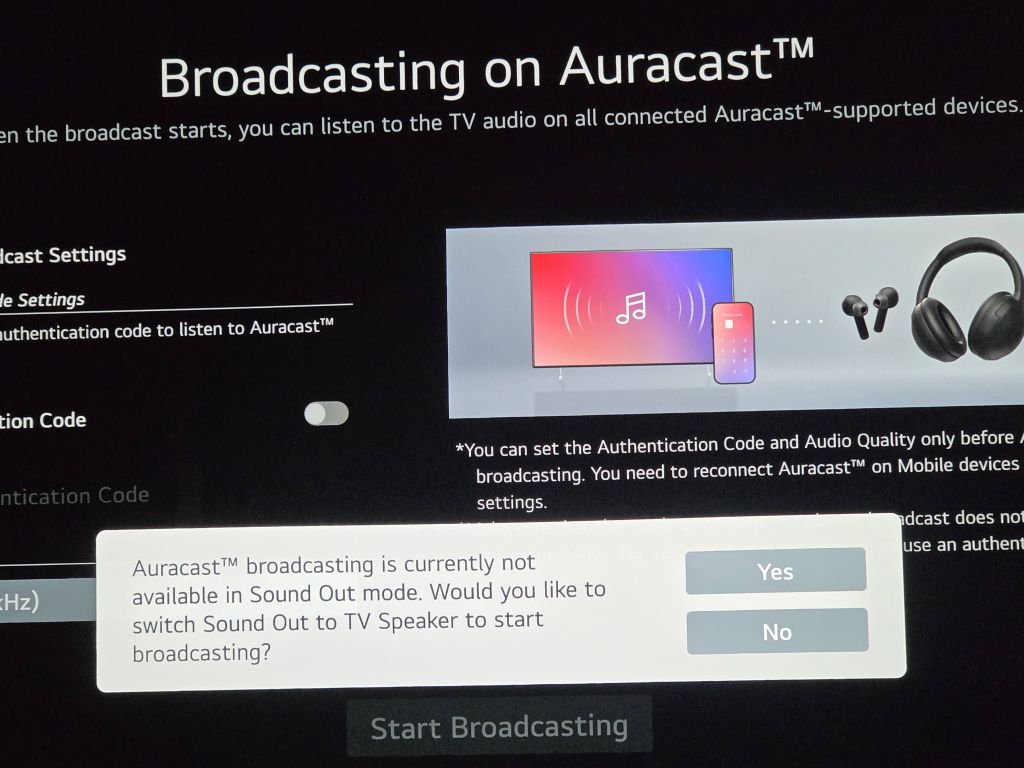
As Auracast is still a new technology, even staff with limited knowledge cannot be expected to know what happens when you plug in a Bluetooth soundbar. Having to order the sound bar online without being able to road-test it, the only way to discover this was to plug it in and fiddle with the settings.
A mixed verdict for the C5
Our ageing Panasonic set was a 32in screen with adequate sound. Moving to a much larger set means making some mental adjustments. While the picture quality is superb, especially for some of the archive television we regularly watch on channels like Talking Pictures TV, the built-in sound lets the set down.
The Auracast is brilliant – having it directly in the set means there is no need for any additional devices (although we will keep one plugged in and powered by the TV’s onboard USB ports). That is a great boon. Connecting is easy and straightforward, and Auracast is not hidden away in a labyrinth of submenus.
But to have the Auracast wiped out by the Classic Bluetooth soundbar is an incredible oversight and a huge disappointment. We hope LG can release a firmware patch to resolve this.
For now, we cannot recommend strongly enough that people test any TV purchase in a bricks-and-mortar store before buying to ensure it works as intended.
There are no affiliate links in this article, we just really like Richer Sounds.

Aurahear in your inbox!










The solution might be to purchase a pair of LG Xboom Bounce portable speakers that can receive Auracast natively. The sound quality is quite good.